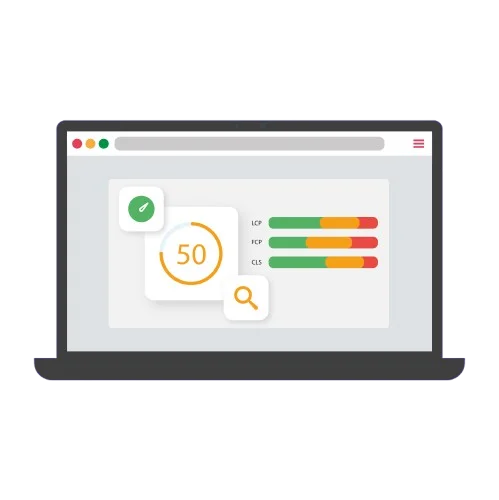
Since 2021, Google has used Core Web Vitals as an official ranking factor. These three performance metrics are no longer optional: they directly impact your search visibility and visitor experience. Whether you're a developer, SEO professional, or website owner, understanding and optimizing these indicators has become essential.
What are Core Web Vitals?
Core Web Vitals are part of Google's "Page Experience" signals. They consist of three specific metrics that measure real user experience on your site: loading speed, interactivity responsiveness, and visual stability.
LCP (Largest Contentful Paint)
LCP measures the time it takes for the largest visible element on your page to fully load. This element is typically an image, video, or significant text block.
- Good: less than 2.5 seconds
- Needs improvement: between 2.5 and 4 seconds
- Poor: more than 4 seconds
LCP reflects the loading speed as perceived by users. A visitor waiting more than 4 seconds to see the main content is likely to abandon the page.
INP (Interaction to Next Paint)
INP replaced FID (First Input Delay) in March 2024. This metric measures how quickly your page responds to user interactions throughout their visit: clicks, keystrokes, and taps.
- Good: less than 200 milliseconds
- Needs improvement: between 200 and 500 milliseconds
- Poor: more than 500 milliseconds
A high INP creates a frustrating sense of sluggishness: users click a button but nothing happens immediately, giving the impression that the site is broken or frozen.
CLS (Cumulative Layout Shift)
CLS quantifies unexpected visual shifts during page load. Each time an element moves unexpectedly, it negatively affects the score.
- Good: less than 0.1
- Needs improvement: between 0.1 and 0.25
- Poor: more than 0.25
Imagine you're about to click a link, but at the last moment, an ad loads and shifts all the content. You click the wrong element. That's exactly what CLS measures.
💡 Key takeaway: Core Web Vitals don't just measure technical performance — they evaluate real user experience. A site can be technically fast according to some tools but offer a poor experience if these three metrics are in the red.
Why Core Web Vitals matter
Direct SEO impact
Since the "Page Experience" update in June 2021, Google officially incorporates Core Web Vitals into its ranking algorithm. It's not the only factor, but with equal content, a site with better Core Web Vitals will have a competitive advantage in search results.
Google now prioritizes sites that offer an optimal user experience. If your site is slow or unstable, even with excellent content, you risk losing positions to better-optimized competitors.
Impact on user experience
The statistics speak for themselves: 53% of mobile users abandon a site that takes more than 3 seconds to load, according to a Google study. Each additional second of delay significantly increases bounce rate.
A Google study showed that sites meeting the recommended Core Web Vitals thresholds are 24% less likely to have visitors abandon the page.
Beyond the numbers, user experience translates into concrete business results: better engagement, longer session time, and most importantly, higher conversion rates.
Business and conversion impact
Companies that have optimized their Core Web Vitals report measurable improvements: increased conversion rate, reduced bounce rate, and increased average cart value for e-commerce sites. A one-second LCP improvement can generate up to 8% increase in conversions.
In a context where Google's mobile-first indexing has become the norm, these metrics are even more critical: mobile users are less patient and sometimes have unstable connections.
How to measure Core Web Vitals
To improve your Core Web Vitals, you must first measure them. There are two types of data to understand:
- Field data: Real performance measured from your actual users. This is what Google uses for ranking.
- Lab data: Tests performed in a controlled environment, useful for debugging and before/after comparisons.
Google Search Console
This is your reference tool to understand how Google sees your site. The "Core Web Vitals" section shows you real data from your users, grouped by similar URLs. You immediately see which pages have issues and their severity.
Advantage: Free, data directly from Google, overview of your entire site.
PageSpeed Insights
Available at pagespeed.web.dev, this tool combines real data (via Chrome User Experience Report) and lab analysis via Lighthouse. It provides concrete, prioritized recommendations for each tested page.
Advantage: Detailed page-by-page analysis with specific suggestions and estimated impact.
Chrome DevTools (Lighthouse)
Built directly into Chrome browser, Lighthouse allows comprehensive technical audits. It's perfect for development and debugging, as you can test locally before deploying your changes.
Advantage: Reproducible tests, controlled environment, perfect for measuring the impact of your optimizations.
Web Vitals Extension
This Chrome extension displays Core Web Vitals in real-time as you browse. Ideal for quickly testing different pages and identifying obvious issues.
💡 Tip: Start with Google Search Console to identify priority pages on your site, then use PageSpeed Insights for specific recommendations. Once corrections are made, track progress in Search Console.
For a comprehensive analysis including Core Web Vitals and other critical SEO factors, an audit tool like SiteScanr generates an actionable report in less than 3 minutes, making optimization prioritization easier.
Common issues and fixes
Now that you know how to measure your Core Web Vitals, here are the most common problems and how to solve them concretely.
To improve LCP
Problem 1: Unoptimized images
Heavy images are the most common cause of high LCP.
Solutions:
- Convert your images to WebP format (25 to 35% lighter than JPEG)
- Use the
srcsetattribute to serve images adapted to each screen size - Implement lazy loading for below-the-fold images
- Compress your images with tools like Squoosh or ImageOptim
Problem 2: Slow server response time
If your server takes too long to respond, everything else is slowed down.
Solutions:
- Use a CDN (Content Delivery Network) to serve your assets from servers geographically close to your users
- Enable server-side caching
- Optimize your database queries
- Consider more performant hosting if necessary
Problem 3: Render-blocking CSS and JavaScript
Solutions:
- Minify and combine your CSS and JavaScript files
- Use
<link rel="preload">for critical resources - Defer loading of non-critical JavaScript with
deferorasync - Inline critical CSS in the
<head>
⚡ Quick win: Compressing images to WebP format can reduce file size by 25 to 35% compared to JPEG, directly improving LCP without visible quality loss. This is often the fastest gain to achieve.
To improve INP
Problem: Long JavaScript tasks blocking the main thread
Scripts that monopolize the CPU prevent the browser from responding to interactions.
Solutions:
- Break up long tasks into smaller chunks with
setTimeoutorrequestIdleCallback - Use debouncing and throttling for expensive event handlers (scroll, resize)
- Reduce your JavaScript bundle size with code splitting
- Move heavy computations to Web Workers
- Limit the number of third-party scripts and load them deferred
To improve CLS
Problem 1: Images and videos without dimensions
Without explicit dimensions, the browser cannot reserve the necessary space before loading.
Solution:
Always specify width and height attributes on your images and videos:
<img src="image.webp" width="800" height="600" alt="Description">Problem 2: Dynamically injected content
Ads, embeds, or pop-ins that appear and push existing content.
Solutions:
- Reserve fixed space for ads and embeds with
min-heightin CSS - Avoid inserting content above existing content (unless it's a user action)
- Use CSS
aspect-ratioproperties to maintain proportions
Problem 3: Font loading
Web fonts can cause FOIT (Flash of Invisible Text) or FOUT (Flash of Unstyled Text).
Solutions:
- Use
font-display: swapin your@font-facedeclarations - Preload critical fonts with
<link rel="preload"> - Host your fonts locally rather than via third-party services
Core Web Vitals and site audits
Core Web Vitals should be an integral part of any modern technical SEO audit. Unlike other more subjective metrics, these indicators provide objective, measurable benchmarks.
Integration into your audit workflow
A comprehensive website audit should systematically include Core Web Vitals analysis for several reasons:
- Prioritization: Quickly identify which pages need optimization the most
- Patterns: Detect recurring issues (all product pages are slow, for example)
- Baseline: Establish a reference to measure your future improvements
- ROI: Justify optimization investments with concrete data
Tools like SiteScanr integrate Core Web Vitals analysis into their audit reports, providing an overview of a site's SEO and performance health in a single document. This avoids juggling between 5 different tools and facilitates communication with non-technical stakeholders.
From audit to action
Once your audit is complete, here's how to proceed:
- Identify priority pages: Focus first on high-traffic or high-business-value pages
- Categorize problems: Separate quick wins (image compression) from longer projects (technical overhaul)
- Create a roadmap: Plan optimizations by priority and estimated impact
- Measure and iterate: After each deployment, verify the real impact and adjust your strategy
The advantage of regular audits is that they allow you to track evolution over time and quickly detect any regression, for example after deploying a new feature or adding a third-party script.
Summary
Core Web Vitals have become essential for SEO and user experience in 2026. These three metrics — LCP for loading, INP for interactivity, and CLS for visual stability — measure what really matters: your visitors' real experience.
Start by measuring your current scores via Google Search Console, then use PageSpeed Insights for precise recommendations. Image optimizations, reducing blocking JavaScript, and reserving space for dynamic elements are often the quickest gains to implement.
Regular audits help you maintain good scores over time and quickly identify regressions. For a comprehensive audit including Core Web Vitals and other critical factors, try SiteScanr for free.